Deploys now survive a dropped connection
Wireless ADB kept dropping halfway through a deploy. ElectroPush 0.0.4 reconnects and carries on.

Number 13
One command that builds FTC robot code and deploys it to the robot, hopping onto the robot's Wi-Fi and back.
Deploying FTC code the normal way means switching your laptop to the robot’s Wi-Fi, waiting for Android Studio, installing, and switching back so you have internet again. Banu Andrei from Team 14270 wrote Pusher to do all of that in one command. I forked it for ElectroLights, renamed it ElectroPush, and kept merging their work in as it grew.
Most of the engine is theirs. My part was making it ours: the name and the epsh command, a consistent look for every screen of the CLI, a Homebrew tap that updates itself on each release, and a fix for the one thing that kept breaking our deploys.
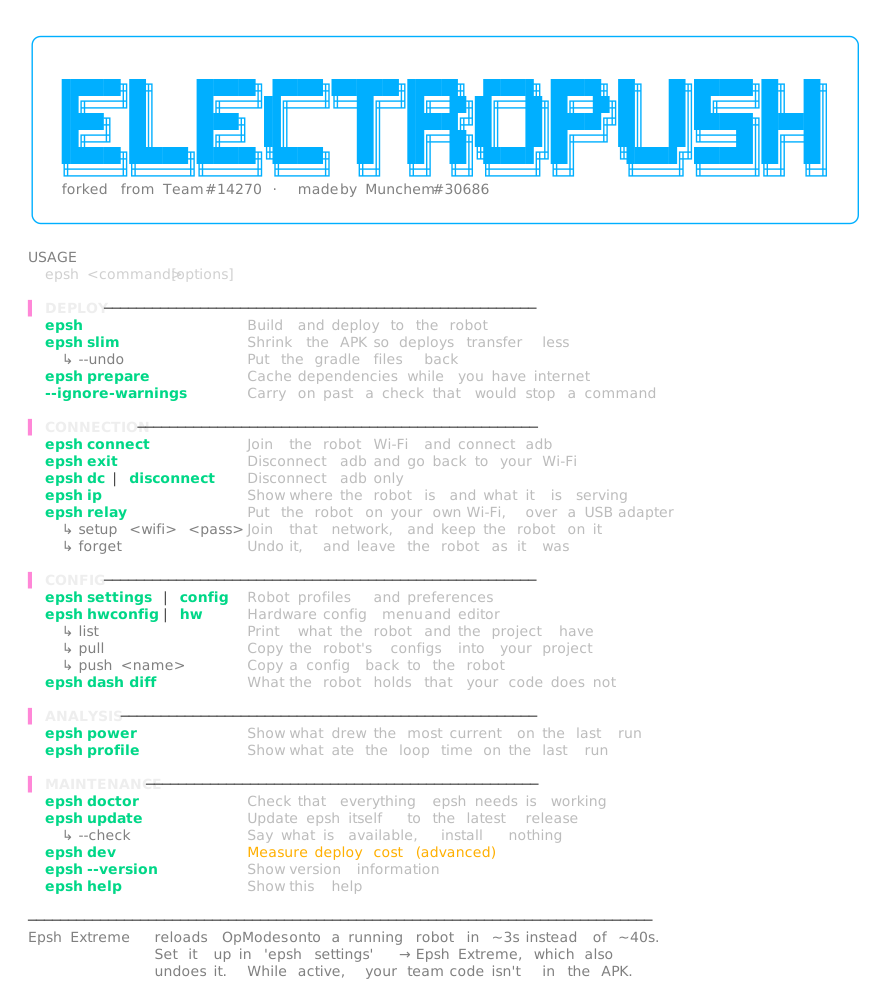
Run epsh in an FTC project:
Extreme mode goes further: it sends only the team’s compiled code and reloads it on the robot instead of reinstalling the app. It takes 2.89 s instead of about 39. If anything outside team code changed, it installs instead and says why, so it never runs stale code while reporting success.
It runs on macOS, Linux and Windows, and installs with:
brew install MunchemOG/homebrew-epsh/epshDeploying over wireless ADB meant the connection could drop halfway through, and the deploy would just stop.
I made ElectroPush notice the drop, reconnect and carry on, so a flaky robot Wi-Fi no longer means starting over.
Wireless ADB kept dropping halfway through a deploy. ElectroPush 0.0.4 reconnects and carries on.